Dev Unit 3: Development Setup & Tools
Setting up your AI-powered workspace
What We'll Cover Today
Forklifts

"Everyone's going to become a forklift driver. No one's going to be carrying boxes anymore."
Part 1
Claude Code vs Cursor
Choosing your AI development platform
Two Paths to AI Development
Many tools exist: Cursor, Claude Code, GitHub Copilot, Codex, Augment, Cody, Windsurf...
Why we focus on Cursor and Claude Code:
- State-of-the-art for agentic development
- Support the workflows we'll teach (instruction files, sub-agents, MCP)
- Concepts transfer to other tools as they mature
| Tool | Best For |
|---|---|
| Claude Code | Terminal-first developers, script automation, MCP power users |
| Cursor | IDE-first developers, visual editing, integrated workflow |
Bottom line: Both can reach the same capability level
Claude Code vs Cursor: Feature Comparison
| Feature | Claude Code | Cursor |
|---|---|---|
| Auto-read file | claude.md |
.cursorrules |
| MCP support | Native, extensive | Limited/developing |
| Environment | Terminal-based | IDE (VS Code fork) |
| Multi-model | Claude only | Claude, GPT, others |
| Code context | Manual file reading | Automatic file awareness |
| CLI scripts | Excellent | Good |
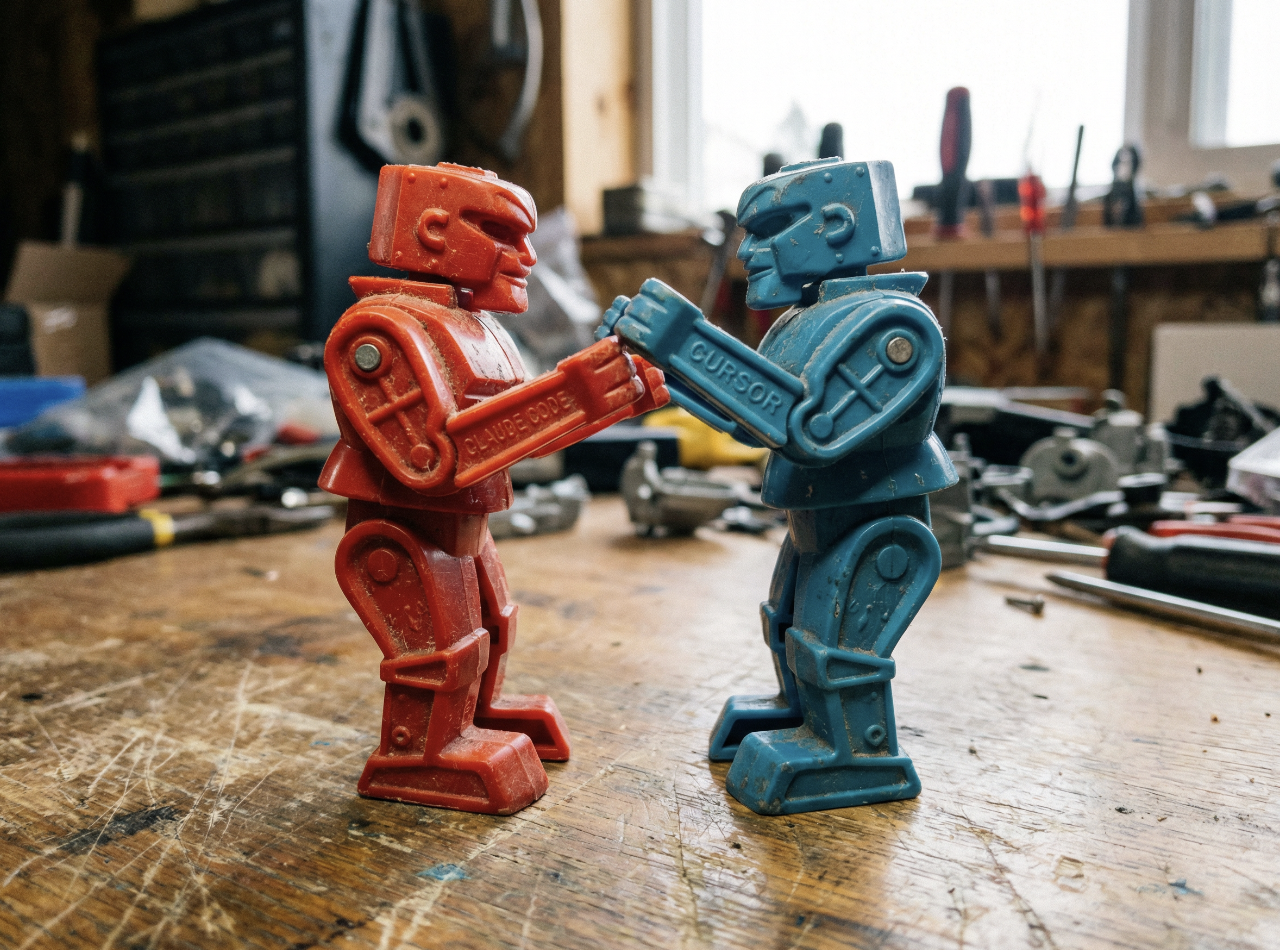
Reaching Equivalent Setup
In Claude Code:
# claude.md
Read aiDocs/context.md for project context.
Follow coding style in aiDocs/coding-style.md
Ask for opinion before complex work.
In Cursor:
# .cursorrules
Read aiDocs/context.md for project context.
Follow coding style in aiDocs/coding-style.md
Ask for opinion before complex work.
Same core instructions — MCP tools are configured separately and available automatically.
In Practice
Part 2
GitHub Setup
Repository essentials
Creating a Repository
# Create new repo on GitHub (via web or CLI)
gh repo create meme-generator --public

# Or initialize locally
git init
git add .
git commit -m "Initial commit"
git branch -M main
git remote add origin https://github.com/you/repo
git push -u origin main
Essential .gitignore
Critical patterns for AI development:
# AI working space (local process artifacts)
ai/

# Tool-specific config (personal workflow)
claude.md
.cursorrules

# Test environment (may contain secrets)
.testEnvVars

# Dependencies
node_modules/
venv/
__pycache__/

# Environment
.env
.env.local
What IS and ISN'T Tracked
| Tracked (committed) | Gitignored (local only) |
|---|---|
aiDocs/ - permanent project knowledge |
ai/ - temporary working space |
| Source code | claude.md / .cursorrules - personal tool config |
.gitignore |
.testEnvVars - secrets |
aiDocs/ is shared. ai/ is personal.
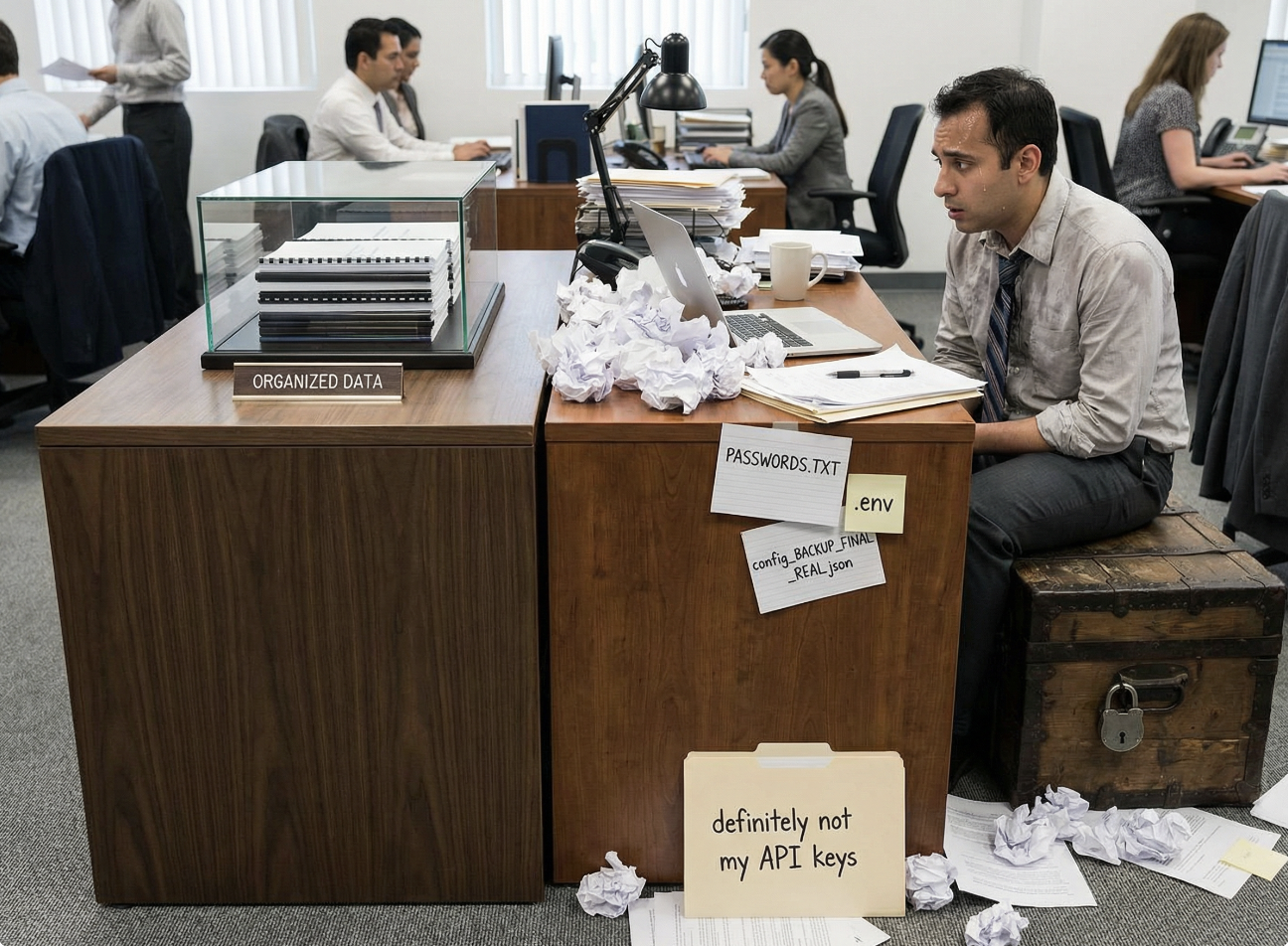
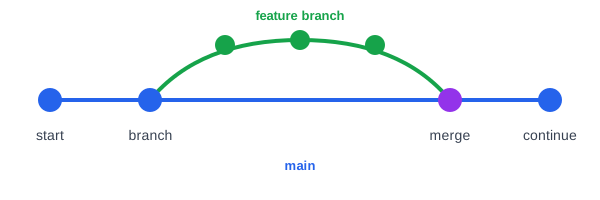
Branching Basics
# Create feature branch
git checkout -b feature/add-caption-generator

# Make changes, commit
git add .
git commit -m "Add caption generation script"

# Push to remote
git push -u origin feature/add-caption-generator

# Create PR (via GitHub or gh CLI)
gh pr create
When to Commit
Good commit triggers:
- Feature complete and tested
- Before trying something risky ("checkpoint")
- Before switching contexts
- End of work session
AI can help:
- "Review my changes and suggest a commit message"
- "What should be in this commit vs the next one?"
In Practice
Part 3
The Two-Folder Pattern
aiDocs/ vs ai/
aiDocs/ vs ai/
| Folder | Tracked? | Purpose | Contents |
|---|---|---|---|
aiDocs/ |
Yes | Permanent project knowledge | context.md, PRD, MVP, architecture, coding style, changelog |
ai/ |
No | Temporary working space | Roadmaps, plans, research, brainstorming |
Rule of thumb: Would a new engineer need this to understand the project? → aiDocs/. Is it a process artifact? → ai/.

Project Structure
project-root/
├── aiDocs/                # ← TRACKED in git
│   ├── context.md         # THE most important file
│   ├── prd.md             # Product requirements (immutable)
│   ├── mvp.md             # MVP definition
│   ├── architecture.md    # System architecture
│   ├── coding-style.md    # Code style guide
│   └── changelog.md       # Concise change history
├── ai/                    # ← GITIGNORED
│   ├── guides/            # Library docs, research output
│   ├── roadmaps/          # Task checklists, plans
│   └── notes/             # Brainstorming
├── claude.md              # ← GITIGNORED (personal config)
├── .cursorrules           # ← GITIGNORED (personal config)
└── scripts/               # CLI scripts
Why claude.md is Gitignored
It's personal tool config, not project knowledge:
- Different team members may use different tools
- Different MCP setups per person
- Just a local pointer: "read
aiDocs/context.md" - Project knowledge belongs in
aiDocs/
Exception: If entire team uses same tool, you could track it
The Most Important File: context.md
# Project Context

## Critical Files to Review
- PRD: aiDocs/prd.md
- Architecture: aiDocs/architecture.md
- Style Guide: aiDocs/coding-style.md

## Tech Stack
- Frontend: React, TypeScript
- Backend: Node.js, Express
- Image Analysis: OpenAI GPT-5 Vision

## Important Notes
- All scripts return JSON to stdout
- Use structured logging to files
- Never commit .testEnvVars

## Current Focus
Building caption generation CLI script
The Concise Changelog
Purpose: Quick historical context without parsing git log
# Changelog

## 2026-02-01
- Added caption generation CLI (JPG/PNG input, JSON output)
- Switched from OpenAI to Anthropic Vision API for cost

## 2026-01-28
- Initial project setup: React frontend, Express backend
- Created PRD and MVP definition
Rules: What changed and why (not how). 1-2 lines each. AI tends verbose - trim it.
Key Principles for context.md
- Keep it concise - bullet points, not essays
- List references with 1-2 sentence descriptions - like a bookshelf with labeled spines
- Update regularly - especially "Current Focus"
- AI reads files on demand - picks only what's relevant to the task
The Bookshelf Analogy:
You don't read every book on a shelf - you scan titles and pick the relevant ones. AI does the same with context.md: scans descriptions, reads only what's needed.
Why? Prevents "context pollution" - too much unneeded data for any given task.

The claude.md / .cursorrules File
Auto-read on every prompt (local, gitignored)
# Project Instructions

## Context
Read the context file: aiDocs/context.md

## Required Tools
- Web Research: Use Firecrawl MCP
- Library Docs: Use Context7 MCP

## Behavioral Guidelines
- Ask for opinion before complex work
- Don't make changes during review phase
- Avoid over-engineering
- Match style in aiDocs/coding-style.md
Plans vs Roadmaps (Brief Recap)
| Plan | Roadmap |
|---|---|
| The WHAT and HOW | The checklist |
| Detailed approach | Task list by phases |
| Technical decisions | Progress tracking |
Both go in ai/roadmaps/ (gitignored) - process artifacts, not permanent docs
Why Both?
- Without roadmap, AI misses tasks
- Plan provides depth; roadmap ensures completeness
- Create plan first, then roadmap from the plan
Creating Plans & Roadmaps
Example prompt:
"Create a plan doc and then a concise roadmap doc
in ai/roadmaps for what we just discussed.
Prefix the filenames with the current date.
Make sure they reference each other.
Include a note in each file to avoid over-engineering,
cruft, and legacy-compatibility features or comments
in this clean-code project."
Add this if you're using sub-agents:
"Deploy a sub-agent to thoroughly examine the plans
and the files they would change to verify that we're
not missing anything and that the plans are in
alignment with the codebase."
In Practice
Part 4
MCP Overview
Model Context Protocol - Extending AI capabilities
What is MCP?
Model Context Protocol
- Standard for extending AI capabilities beyond text
- Gives AI access to tools (like browser extensions for AI)
- Tools run locally, results fed back to AI
- Developed by Anthropic, open standard
MCP Architecture (High Level)
┌─────────────────┐
│   Your Prompt   │
└────────┬────────┘
         ▼
┌─────────────────┐
│   AI (Claude)   │ → "I need React docs..."
└────────┬────────┘
         ▼
┌─────────────────┐
│   MCP Router    │
└────────┬────────┘
    ┌────┴────┬────────────┐
    ▼         ▼            ▼
┌───────┐ ┌────────┐ ┌───────────┐
│Context│ │Perplex │ │Playwright │
│   7   │ │  ity   │ │           │
└───────┘ └────────┘ └───────────┘
Context7: Library Documentation
What it does:
- Searches and retrieves latest library docs
- More current than AI training data
- Stores docs locally for future reference
When to use:
- Learning a new library
- Checking current API syntax
- Finding library-specific best practices
Alternative tools: Official docs (manual), library websites, Stack Overflow (less reliable)
Context7: Example
Use Context7 to research the best React
state management libraries for our use case.

Pull the documentation for the top recommendation
and store it in ai/guides/ with suffix _context7.md
AI will:
- Search Context7 for React state management options
- Retrieve documentation for the best fit
- Save to ai/guides/zustand_context7.md (for example)
- Use that documentation to answer your question
Perplexity: Deep Research (Optional)
What it does:
- Web-connected search with citations
- Synthesizes multiple sources
- Great for best practices and "how people solve X"
Cost note: Perplexity MCP requires a paid API. For most research, it's cheaper to search yourself and paste results into Claude.
When to use: General research (not specific library docs), best practices, "How do people typically handle OAuth2 in React?"
Web Scraper MCPs: Firecrawl & Bright Data
What they do:
- Search the web and fetch pages
- Parse web pages into markdown AI can read
- Free tiers available - good for students
MCP Tool Comparison
| Tool | Type | Best For | Cost |
|---|---|---|---|
| Context7 | Library docs | Specific package API docs | Free |
| Firecrawl | Web research | Search + scrape, Claude synthesizes | Free tier |
| Bright Data | Web research | Similar to Firecrawl | Free tier |
| Perplexity | Deep research | Pre-synthesized answers (optional) | Paid |
All store results in ai/guides/ (gitignored working reference)
How to Add an MCP Server
Config location: ~/.config/claude/mcp.json (Claude Code)
{
  "mcpServers": {
    "context7": {
      "command": "npx",
      "args": ["-y", "@context7/mcp"]
    },
    "perplexity": {
      "command": "npx",
      "args": ["-y", "@perplexity/mcp"],
      "env": {
        "PERPLEXITY_API_KEY": "your-key-here"
      }
    }
  }
}
For Cursor: Check Cursor documentation for MCP configuration
...Or Ask the AI to Add It
Example prompt:
"Please add the MCP server for 'chrome-devtools'
following the guide under
ai/guides/external/chromeDevToolsMcp_perplexity.md"
The AI will read the guide and update your MCP config for you.
Part 5
Cross-Platform & Retrofitting
Real-world considerations
Windows vs Mac/Linux Gotchas
| Issue | Mac/Linux | Windows |
|---|---|---|
| Shell scripts | ./script.sh works |
May need WSL or Git Bash |
| Path separators | / |
\ (but / often works) |
| Line endings | LF | CRLF (configure git) |
| Environment vars | export VAR=value |
set VAR=value or PowerShell |
| Shebangs | #!/bin/bash works |
Ignored (use explicit bash) |
Best practice: Use Node.js scripts when possible (cross-platform)
Retrofitting AI into Existing Projects
You inherit a codebase. Now what?
- Add aiDocs/ folder - Start with context.md
- Add ai/ folder - Even if empty at first
- Create context.md - Document what you discover
- Add .gitignore - Protect ai/, claude.md, .cursorrules, .testEnvVars
- Ask AI to analyze - "Review this codebase and create a context.md"
AI can help reverse-engineer: Architecture patterns, tech stack details, testing approaches

Mermaid Diagrams for Codebase Understanding
Ask AI to generate diagrams and store in aiDocs/diagrams/:
| Diagram Type | What It Shows |
|---|---|
| Class Diagram | Classes, inheritance, relationships |
| Sequence Diagram | Process flow between components |
| ER Diagram | Database tables and relationships |
| Flowchart | Logic and decision paths |
"Analyze this codebase and create Mermaid diagrams
for the class structure and main request flow.
Save them in aiDocs/diagrams/"
Benefits: You can visually review to understand the codebase - and AI benefits too when diagrams are referenced in context.md.
Part 6
Collaborative Prompting & Bias Toward Truth
Working WITH AI effectively
Collaborative Prompting: Tentative Approach
Don't do this:
"Add JWT authentication to the API"
Do this instead:
"We need to add authentication.
I'm thinking JWT tokens but I'm not sure
if that's the best approach here.
What do you think?"
Why this works:
- Invites AI to provide expert opinion
- AI can identify better approaches you hadn't considered
- Reduces risk of implementing wrong solution
Pattern: Context-First
Review the context file.
Then review how [feature] currently works.
Understand it thoroughly.

Now here's what we need to change:
[requirements]

What's your opinion on the best approach?
Don't make any code changes yet.

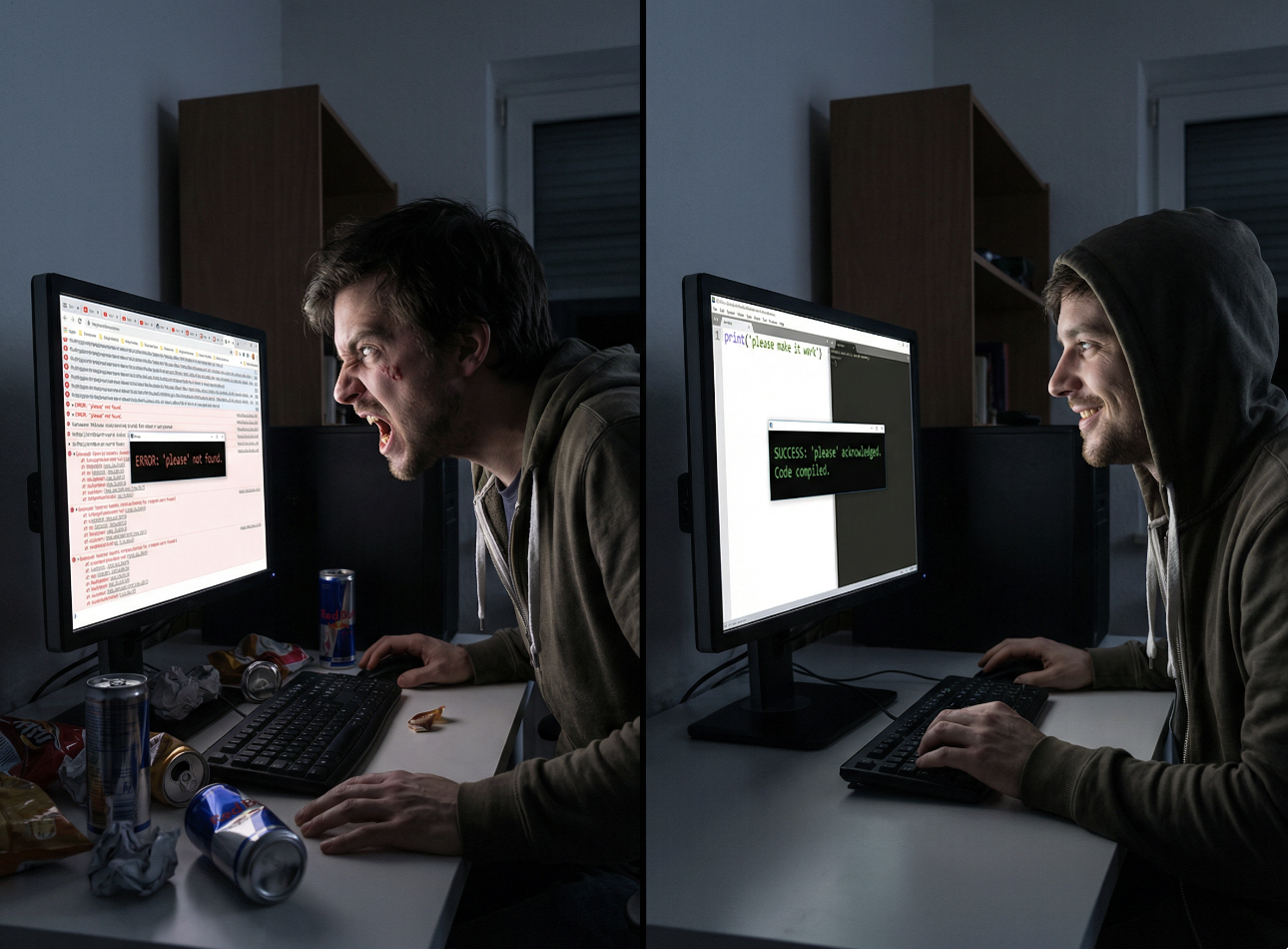
Positivity Matters
Don't:
"This code is terrible. Fix it."
Do:
"This code has some issues we need to address.
Can you help identify what needs improvement?"
Why:
- Research shows negativity causes erratic AI behavior
- Positivity produces more neutral, focused results
- Clear and positive = best combination
You don't need to flatter AI, just stay positive, unaccusing, and clear (same as with people!)
Bias Toward Truth
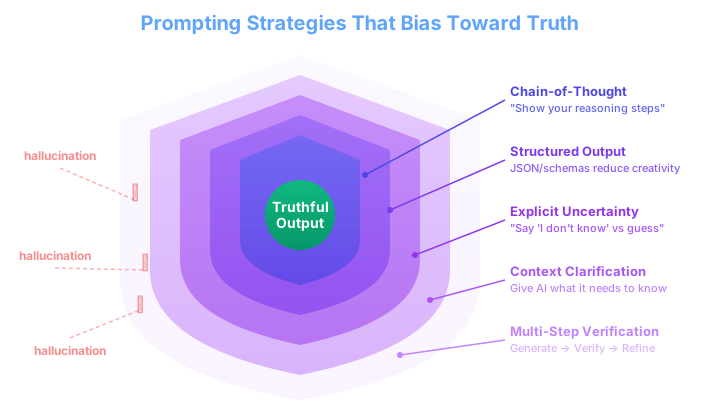
Hallucinations Happen
Why AI generates plausible but wrong answers:
- LLMs predict "likely next tokens" - plausible does not equal true
- Gaps in training data get filled with confident guesses
- No built-in fact-checking mechanism
Your job: Create prompting habits that bias AI toward truth

5 Strategies You Can Use Today
| Strategy | How |
|---|---|
| Chain-of-Thought | "Show your reasoning step by step" |
| Structured Output | Request JSON - reduces creative drift |
| Explicit Uncertainty | "Say 'I don't know' rather than guessing" |
| Context Clarification | Give AI the files and facts it needs |
| Multi-Step Verification | Generate → Verify → Refine → Present |
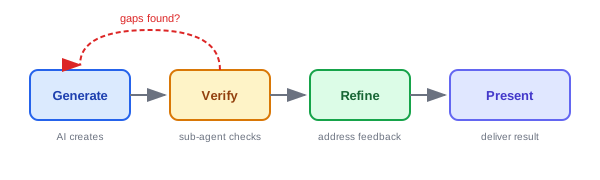
Bias Toward Truth: In Practice
Before implementing, please:
1. Show your reasoning step by step
2. Flag anything you're uncertain about
3. If you don't know something, say so
   rather than guessing
4. Before you answer, verify against
   the project context
Add this pattern to your claude.md or .cursorrules
The Frenemy Prompt: Adversarial Review
You've learned to collaborate. Now learn to stress-test.
Collaborative prompting builds things up. The Frenemy tears them down — on purpose.
Regarding the following prompt, respond with direct,
critical analysis. Prioritize clarity over kindness.
Do not compliment me or soften the tone of your answer.
Identify my logical blind spots and point out the flaws
in my assumptions. Fact-check my claims. Refute my
conclusions where you can. Assume I'm wrong and make
me prove otherwise.
Paste this before your PRD, plan, architecture doc, or any decision you want to pressure-test.
The Two-Step Frenemy Workflow
Step 1: Frenemy Session (adversarial)
[Frenemy prompt]

Here is my PRD for the meme generator project:
[paste PRD]
AI will ruthlessly identify cracks, contradictions, missing pieces, and weak assumptions.
Step 2: Fresh Collaborative Session (synthesis)
I ran an adversarial review of my PRD.
Here are the criticisms it raised:
[paste frenemy output]

Review these against my actual PRD.
Which are truly valid and actionable?
Which are noise? What should I change?
Collaboration decides which criticisms actually matter.
When to Use the Frenemy
| Use Case | What You're Stress-Testing |
|---|---|
| PRDs & Plans | Missing requirements, scope gaps, contradictions |
| Architecture | Scalability issues, wrong tool choices, over-engineering |
| Code Reviews | Edge cases, security holes, maintainability concerns |
| Assumptions | “Is this actually true, or do I just believe it?” |
When NOT to use it:
- During initial brainstorming (too early — kills ideas before they form)
- When you need encouragement to keep going (use collaborative mode)
- On trivial decisions (overkill)
Part 7
Setup Verification
Hands-on practice (15 min)
Your Turn.

Hands-On Activity (15 min)
Goal: Verify your AI development environment is ready
Success criteria: AI can describe your project from aiDocs/context.md
Key Takeaways
Quick Reference
PROJECT STRUCTURE
aiDocs/               ← TRACKED (permanent knowledge)
├── context.md        ← Main AI context
├── prd.md            ← Product requirements
├── coding-style.md   ← Code style guide
└── changelog.md      ← Concise change history

ai/                   ← GITIGNORED (working space)
├── guides/           ← Library docs, research
├── roadmaps/         ← Plans, task checklists
└── notes/            ← Brainstorming

claude.md             ← GITIGNORED (personal config)

MCP TOOLS
Context7  → Library docs → ai/guides/
Firecrawl → Web research → ai/guides/
Before Next Time
Do this individually (even if you're in a project group - everyone needs the practice):
-
aiDocs/prd.md - product requirements-
aiDocs/mvp.md - MVP scope definition-
aiDocs/architecture.md - system design-
aiDocs/coding-style.md - code style guide
"Review my PRD and MVP. Break down the MVP into logical phases. How many phases? Should each have its own plan/roadmap, or group some together?"
For groups: Later, use AI to compare/contrast and merge your individual ideas together.